
They Were Just Photos?
Ordinary real estate listing photos, turned into a cinematic social media property tour. No drone, no gimbal, and no traditional video shoot. Start with the film below: it is the whole story, told on camera, of how the video was made.
Property: 5717 S Bridgeton Ln, South Bend, Indiana · Creative Director | AI Video Editor | Real Estate Video Editor: Clinton Douglas IV · Company: KSD GovCon LLC DBA Vasrue Digital Media
The behind-the-scenes film · Watch this first
How I Turned Real Estate Photos Into an AI Property Video
From the listing photos to the finished reel: planning the camera path before touching AI, rebuilding horizontal photos for a vertical screen, the accuracy rule, the “drone” shots, the edit, and what the agent actually received. Jump to a chapter:
- 0:39 The starting point
- 1:25 Story before AI
- 2:20 Make it vertical
- 3:24 Clean the images
- 3:51 Then came Higgsfield
- 4:38 AI is not the finished product
- 5:49 The before and after
- 6:35 What the agent received
- 7:04 Why this matters for real estate
- 7:46 AI did not direct the video
- 8:34 My role
- 9:14 Transparency
- 9:49 The finished video
How it started
The film tells this story in my own words. The sections below fill in what it moves past quickly: the photos themselves, the frame-by-frame before and after, the numbers, and the finished reel.
A senior real estate agent who works part-time wanted a better way to promote one of her listings on social media. She already had professional listing photographs, but she didn’t have video.
I wanted to help her get something she could actually use to market the property, and to show what Vasrue Digital Media can do for real estate professionals. So I gave myself a challenge: could nothing but the existing listing photos become something that looks and moves like a professionally produced real estate video?
The answer was yes. And that became the whole idea behind the project: they were just photos.
The starting point
In the film: 0:39
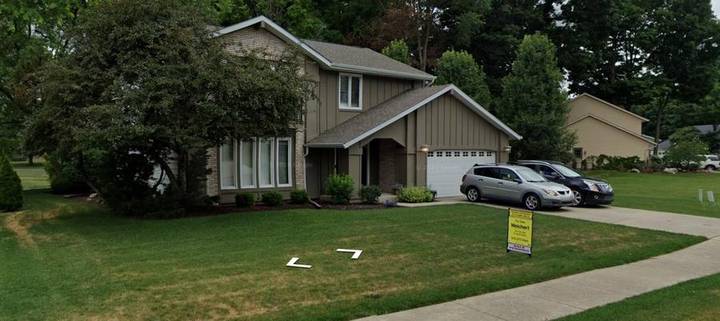
The property was 5717 S Bridgeton Ln in South Bend, Indiana: a two-story house with taupe board-and-batten siding, a brick wing, a balcony over the front picture windows, and a two-car garage on a tree-lined lot.
There was no scheduled production day. No videographer walking through the property. No gimbal. No drone flying over the house. I started with 22 existing listing photographs and one licensed music track.
The goal was a polished vertical reel that moves from an aerial-style opening, through the front door, across the major rooms of the house, and finishes on a dramatic twilight exterior, all from those still photographs.
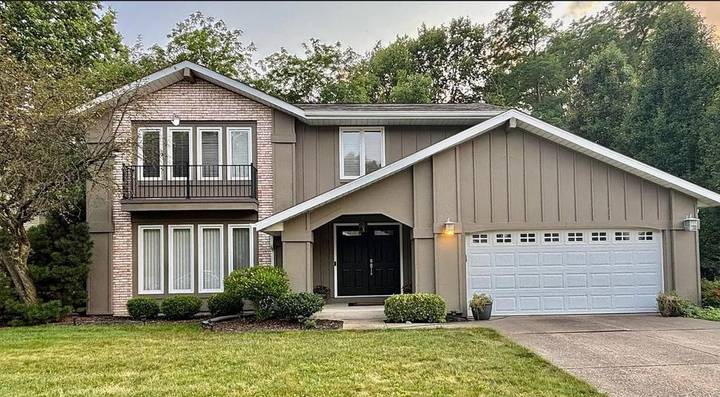
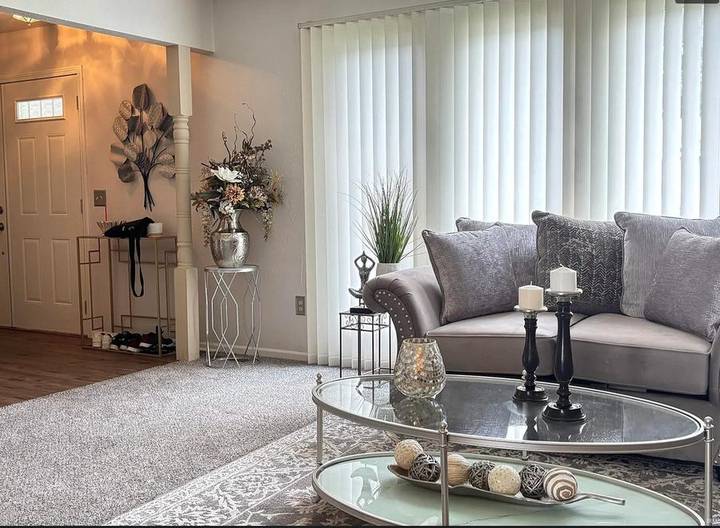
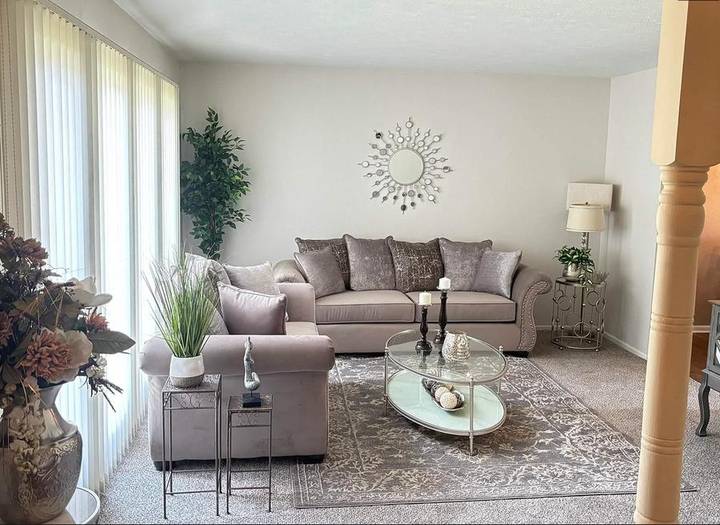
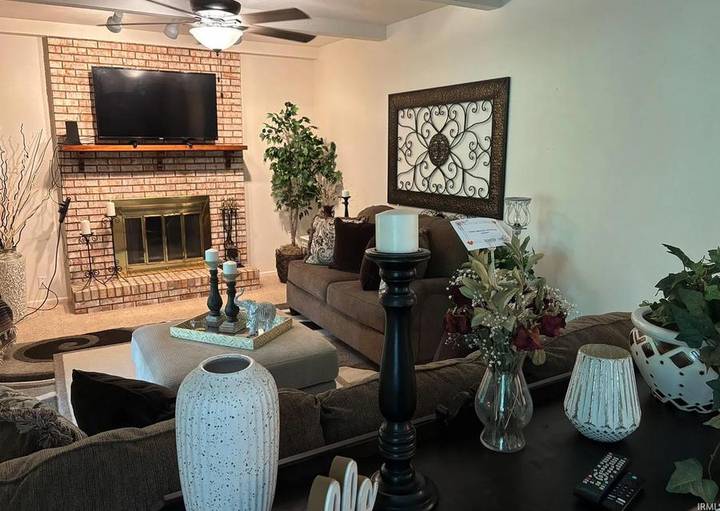
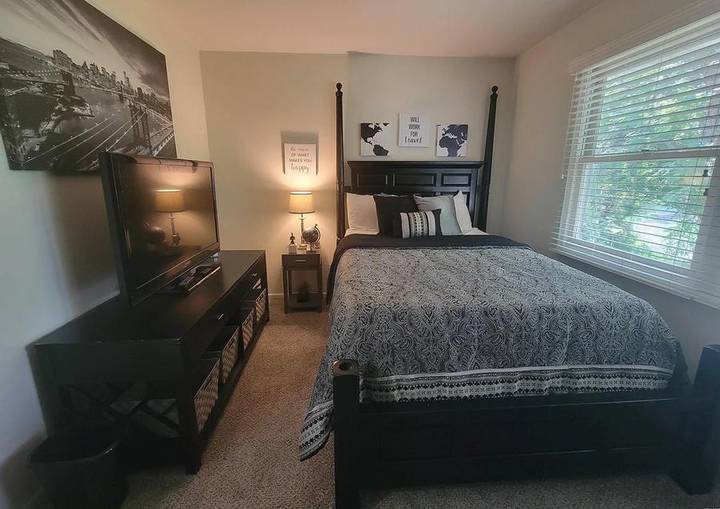
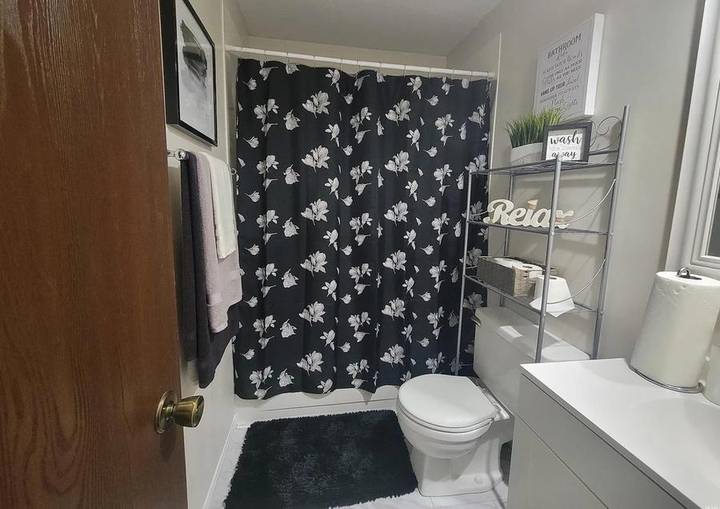
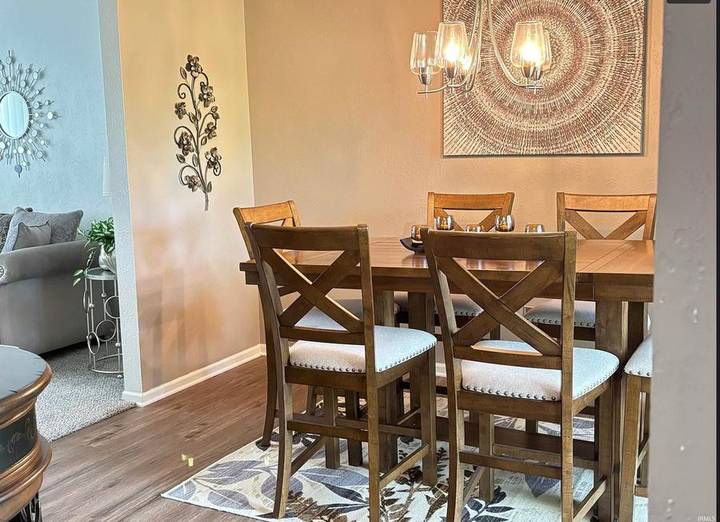
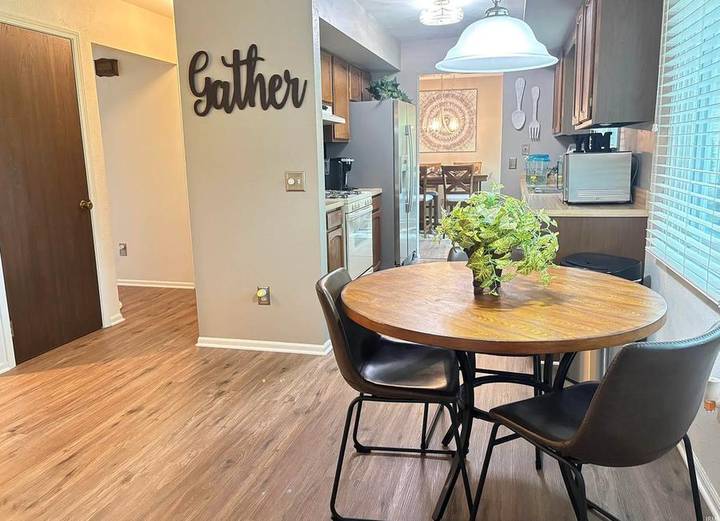
Six of the 22 photos as they arrived: horizontal, still, and in some cases watermarked or cluttered.
The creative challenge
Still photos and video are fundamentally different. A photograph gives you one frozen perspective. A real estate video needs movement, pacing, transitions, and a visual path through the home that makes sense to the viewer.
And if AI was going to be involved, the finished video still had to represent the actual house. My rule throughout the project was simple: do not redesign the property. That accuracy rule became one of the most important parts of the project.
What the AI could do
- Create camera motion from a still frame
- Remove temporary distractions
- Rebuild landscape photos as vertical compositions
- Change the exterior lighting: golden hour, dusk, twilight
What the AI could not do
- Invent a pool
- Create another bedroom
- Upgrade the countertops
- Turn the house into something a buyer wouldn’t actually see when they arrived
Step 1 — Build the story before building the video
In the film: 1:25
Before generating anything, I mapped out the entire reel. Every listing photograph was cataloged by room. Then I built the virtual walkthrough:
- Aerial-style opening
- Front-door arrival
- Living room
- Dining room
- Kitchen
- Secondary living spaces
- Bathrooms
- Bedrooms
- Exterior
- Twilight close
Each image was assigned its own simulated camera movement: pushes, glides, descents, pullbacks and doorway reveals. I wasn’t trying to make a slideshow. I wanted the viewer to feel like a camera operator had actually moved through the house.
Step 2 — Make the photos work for social media
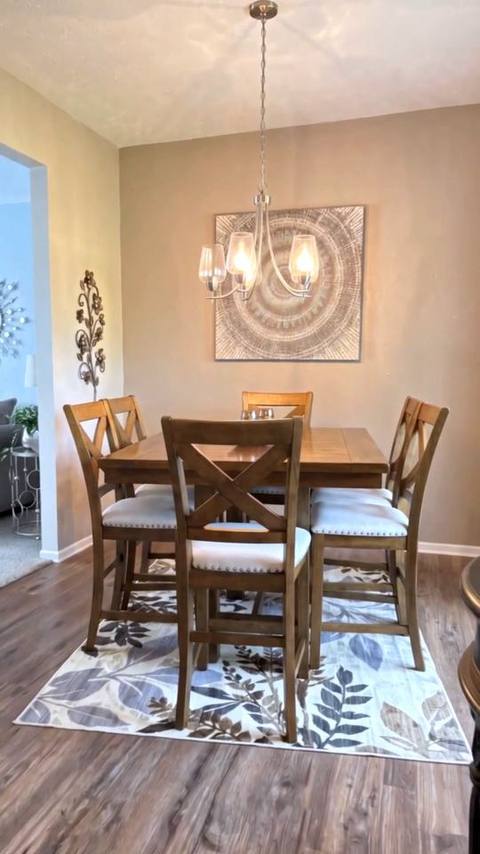
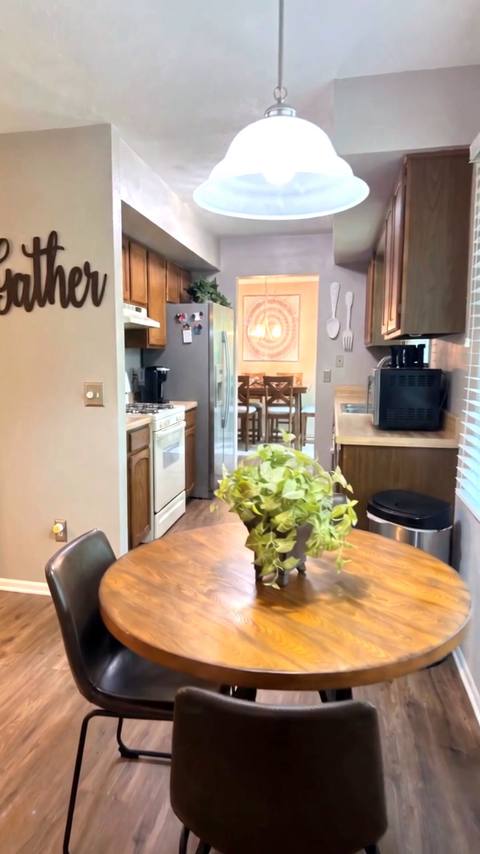
The original listing photographs were landscape. The finished reel needed to be vertical 9:16 for Instagram Reels, TikTok and YouTube Shorts. Using AI, I rebuilt the compositions vertically while keeping the property’s architecture, furniture, finishes and layout. At the same time, I cleaned up temporary distractions:
- Cars removed from the driveway
- The real estate yard sign removed
- Shoes and bags cleared from the entry
- Website watermarks removed
- A TV showing a person’s face changed to a dark screen
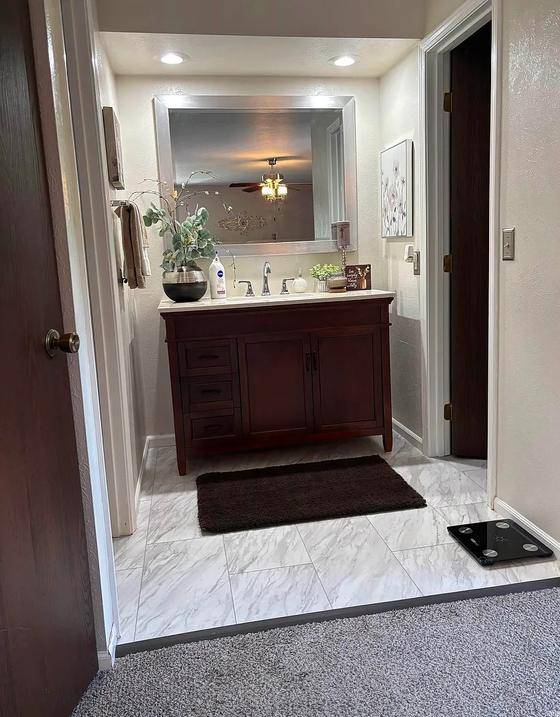
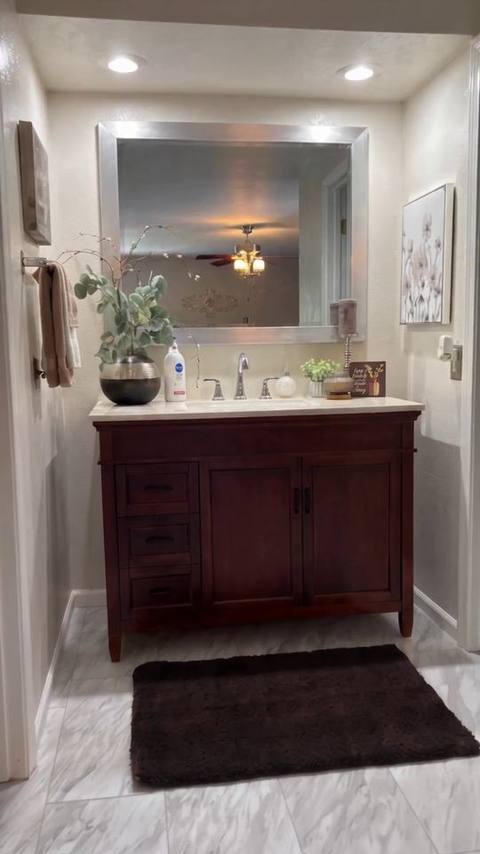
- A bathroom scale removed from the floor
Those weren’t renovations. They were the digital equivalent of getting the house ready before the photographer presses the shutter.
Step 3 — Create the “drone” shots without a drone
In the film: 3:51
This is where the project got especially interesting. The opening and closing shots look like aerial real estate footage. But no drone ever left the ground. There was no drone at all.
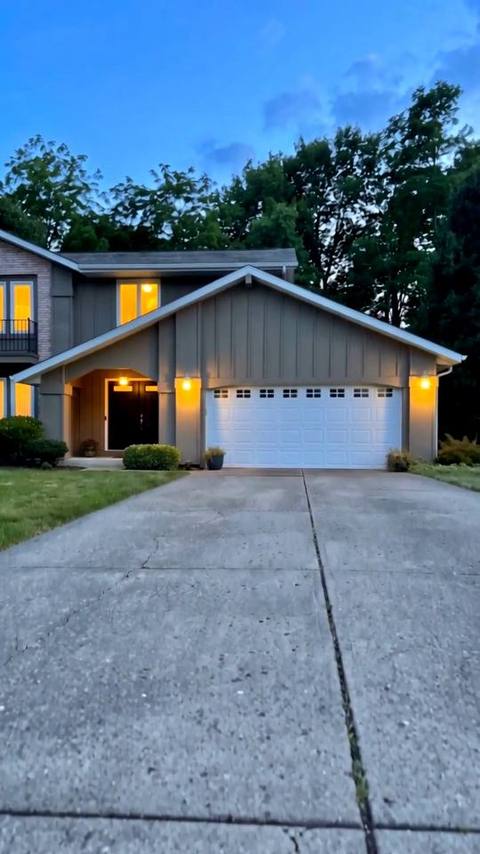
Using the property’s real exterior photograph as the visual reference, I used Higgsfield to create several exterior moods while keeping the house recognizable: a warm golden-hour opening, a dusk arrival, and a deep-blue twilight close with warm light coming through the windows.
The one real reference
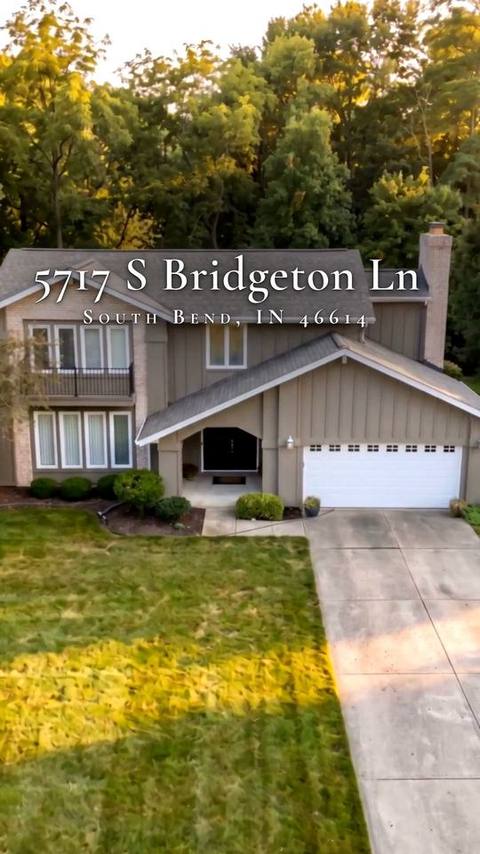
Golden hour
Dusk
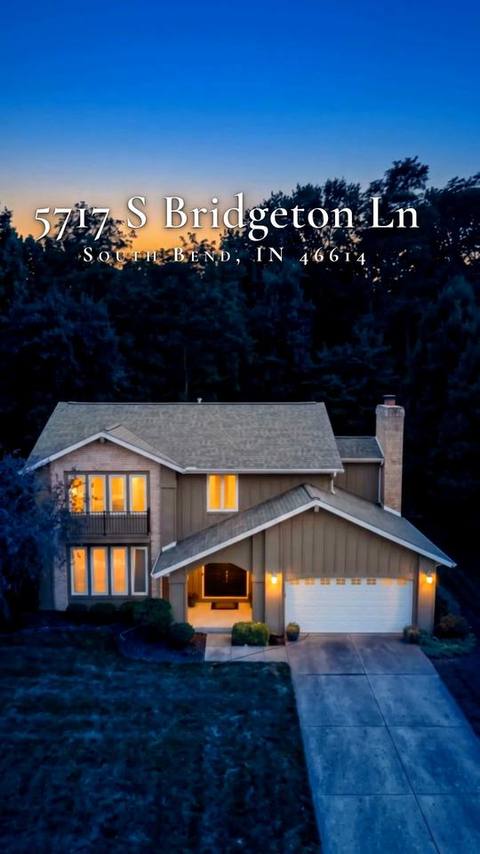
Twilight
Those still frames were then animated into movements designed to simulate real camera work:
- A simulated drone descent toward the house.
- A walk toward the front entrance.
- A push through the doorway.
- Room-to-room glides through the interior.
- Kitchen and bedroom pushes.
- A rising exterior pullback.
- A slow twilight aerial-style drift to finish.
No drone. Just AI, creative direction and editing.
Step 4 — Turn AI clips into an actual film
In the film: 4:38
Generating clips wasn’t the finished product. They still had to be edited into something that felt intentional.
I built the entire 30-second reel around the rhythm of the music. I placed the biggest visual changes on the major musical accents so the movement and the music reinforce each other. Some shots needed room to breathe; others needed to move quickly.
Then came the traditional editing work: cutting on motion, timing transitions, color correction, keeping one consistent white balance, matching the AI-generated shots so they looked like they belonged in the same video, building the title sequence, and balancing golden-hour warmth against the deep-blue twilight ending.
“This is the difference between generating AI clips and editing actual video.”
— Clinton Douglas IV, in the film
The deliverable · What the agent received
The Finished 30-Second Reel
A finished real estate marketing video, not a folder of AI clips: vertical, formatted for social media, with music, color work, transitions and pacing. A beginning, a middle and an ending. Something she could actually post.
It opens on a golden-hour “aerial” under the address title, walks up to the black double doors, glides room to room through the house, and settles on the deep-blue twilight close as the music fades.
Every moving shot is an AI-generated visualization made from the property’s real listing photos.
The final numbers
| Original listing photos | 22 |
|---|---|
| Rebuilt and cleaned vertical frames | 15 |
| AI-generated moving video clips | 15 |
| Shots in the final edit | 21 |
| Clips that had to be regenerated | 0 |
| Finished reel | 30 seconds, 9:16 vertical, 1080 × 1920 |
| Behind-the-scenes film | 12:42, 16:9, 1920 × 1080 |
| Film crew, gimbal, drone, or shoot day | None |
Why this matters for real estate agents
In the film: 7:04
Most agents already have one of the most important ingredients for social video: the listing photographs.
Traditionally, more video means scheduling another production day, coordinating access to the property, working around weather, hiring a videographer or drone operator, and waiting on another round of post-production. This project shows another option. Existing photographs can become the raw material for short-form video for:
- Instagram Reels
- TikTok
- YouTube Shorts
- Listing promotion
- Agent branding
- Property teasers
- Coming-soon campaigns
Instead of living only inside the MLS listing, the photos become more marketing content. That’s the opportunity this project was built to demonstrate.
The AI didn’t do the creative direction
In the film: 7:46
AI made this production possible. It didn’t make the creative decisions. Someone still had to decide:
- Which photograph should open?
- Where should the imaginary camera move?
- Which room comes next?
- How fast should the viewer move through the home?
- Where should the music change?
- Which details must stay untouched?
- What should be cleaned up?
- Which AI generations accurately represent the property?
- When should the video move from daylight to twilight?
That was my role.
My role
In the film: 8:34
Creative Director | AI Video Editor | Real Estate Video Editor
I developed the concept, designed the virtual camera movements, directed the AI transformations, planned the sequence, edited the reel, did the color work, and prepared the final social media deliverable. Then I made the behind-the-scenes film above to show how it was done.
Transparency matters
In the film: 9:14
The aerial and walkthrough sequences are AI-generated visualizations created from the property’s real listing photographs. No drone flew over the house. No physical camera moved through the rooms.
The property itself was not redesigned or materially improved. Temporary visual distractions were removed, and the exterior was shown under different simulated lighting conditions.
That distinction matters. The goal isn’t to trick anyone into believing a drone was there. The goal is to show what modern creative production can do with assets a real estate professional already has.
They really were just photos.
That’s the part I want real estate agents to see. If you’ve already paid for professional listing photography, you may already have the raw material for your next social media video. No drone needed. No extra shoot day needed. Your listing photos can do more.
For more real estate work, see the Prescott, AZ listing reel (client footage, edited and virtually staged) and the Point of Rocks listing film (another film built from listing stills).
A self-directed portfolio project made for a working agent’s listing. The property address is public listing information. Listing photographs were provided by the listing agent and remain the property of their owner; they appear here only to show how the reel was made. The reel is an AI-generated visualization made with Higgsfield, not real drone or walkthrough footage: no rooms, features or finishes were added or improved, only temporary items were removed and the exterior lighting was changed. Music in the reel: “Uplifting Indie Pop – I Am Coming Home” by MarkJuly (Marat Mukhamadiev), via Pixabay. Music in the behind-the-scenes film: “HipHop” by NastelBom (Dmitrii Spis), via Pixabay. No sale, showing, or engagement figures are claimed.
Video editing, AI video generation, real estate video, social media video, creative direction, shot planning, AI image cleanup and vertical reframing, beat-timed editing, color correction, title design, on-camera presenting.
Watch the film on Vimeo → Real Estate Industry Campaign → Back to portfolio →
Have listing photos and no video?
Send the photos and the platform you’re posting to. Vasrue will review the request.